Campuses
Welcome the campus community.
Support visitor service alongside student, faculty and staff enrollment on compatible devices.
Admissions visits · Campus guests · Civitas enrollment
Visitor management for campuses and workplaces
Help visitors prepare. Give your Frontdesk a clear next step. Keep every visit easy to follow.
Interactive preview. Review access required.
Details and photos, in your browser.
Designed around
the people doing the work.
The Frontdesk workspace
Bring expected visitors, new registrations and follow-up into a workspace built around the next task.
Find a visitor, review their details and record their arrival. Continue unfinished work from the original visit.
Try the Frontdesk demo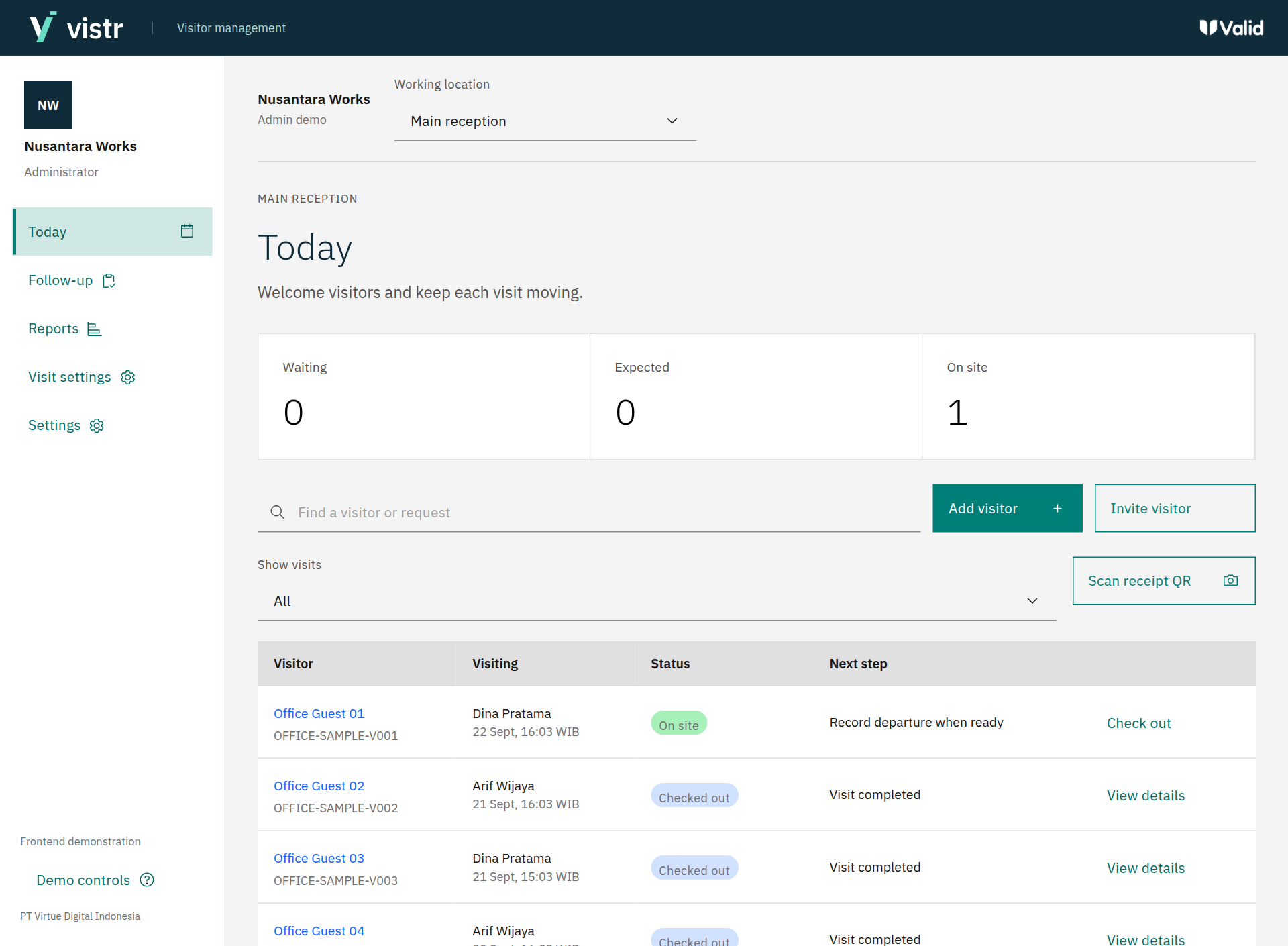
Review arrivals, departures and visit activity. Filter the record, then open the original visit for context.
Open product demo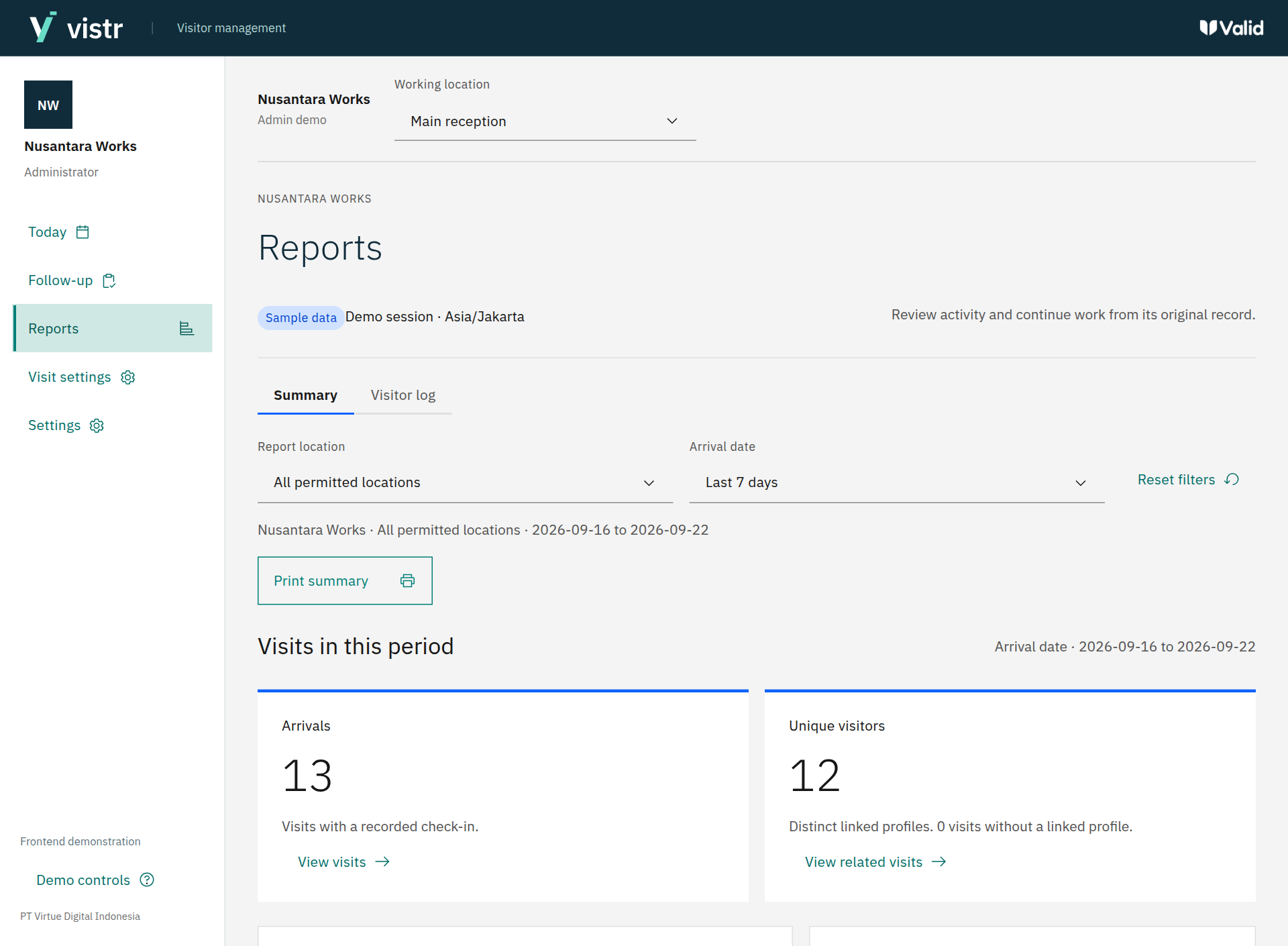
Visitors open a registration page in their mobile browser. Staff review the submission before completing the service.
An optional service. No native app required.
Open product demo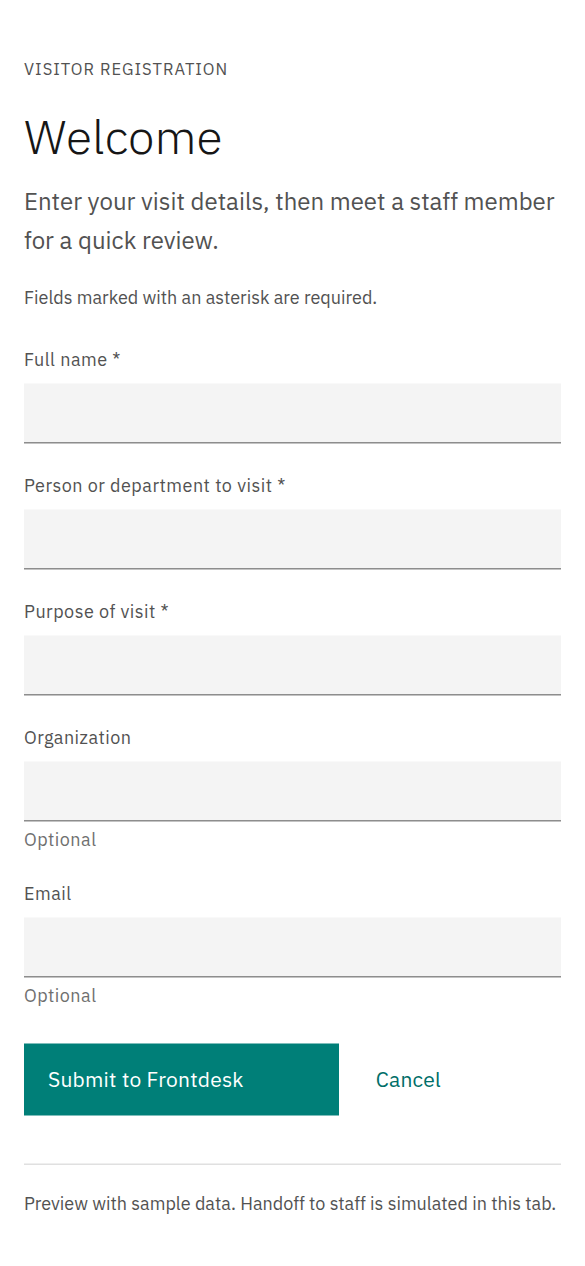
One connected service journey
Start with an invitation, a walk-in or optional self-service. Bring each visitor into the same clear Frontdesk flow.

Collect visitor details and the purpose of the visit.
Visitor or Frontdesk
Match the person, check the details and confirm the destination.
Frontdesk
Record arrival and follow the configured visit requirements.
Frontdesk and host
Record departure and retain the visit history for review.
FrontdeskDevice enrollment, where you need it. Add registration to compatible access terminals after staff review. Check-in and device enrollment remain separate results.
Explore enrollmentMade for your setting
Support visitor service alongside student, faculty and staff enrollment on compatible devices.
Admissions visits · Campus guests · Civitas enrollmentPrepare expected guests, handle walk-ins and give teams a shared record of arrivals and departures.
Business guests · Host invitations · Reception serviceOptional device enrollment
Import people and photos, choose compatible terminals and review each result. Follow up on the work that needs attention.
Integration scope is confirmed against your device model, firmware and operating requirements.
 Review and send enrollment
A few useful details
No. The self-service experience is designed for a mobile web browser, with a shared kiosk as another option. Staff can also register a visitor at the Frontdesk.
No. Visitor management can be used without device enrollment. Enrollment is an optional module for supported hardware, with compatibility confirmed during implementation.
The interactive preview includes visitor registration, Frontdesk review, arrivals and departures, reporting and sample enrollment scenarios. It uses fictional records and simulated messages and device responses. It is not a live visitor service.
The demo is available through review access. Contact the Valid team to arrange a walkthrough and receive access. Customer proposals and presentation files remain in the protected review area.
A dedicated installation can be scoped around your locations, infrastructure and support requirements. The team will confirm the delivery scope and integrations with you.
Let us walk through it together
Tell us how your Frontdesk works today.