
User guide
Send and share invitations
Choose email or share a link yourself, then follow the same visit.
Your organization settings and account permissions determine which options are available.
All screens use fictional data. QR images and setup codes are examples and cannot be used to register.
Before you start
Prepare the guest name, destination, schedule, and purpose. A Host uses its own host record; staff follow their assigned locations.
How the task works
Follow the main steps in order. Where a choice is shown, follow the branch that matches your situation.
- Host / StaffChoose guest and schedule
- Host / StaffChoose delivery method
- Send by emailEmail required; check delivery status
- Share linkCopy and send through your chosen channel
- GuestComplete the invitation
- Host / StaffFollow the same visit
Steps
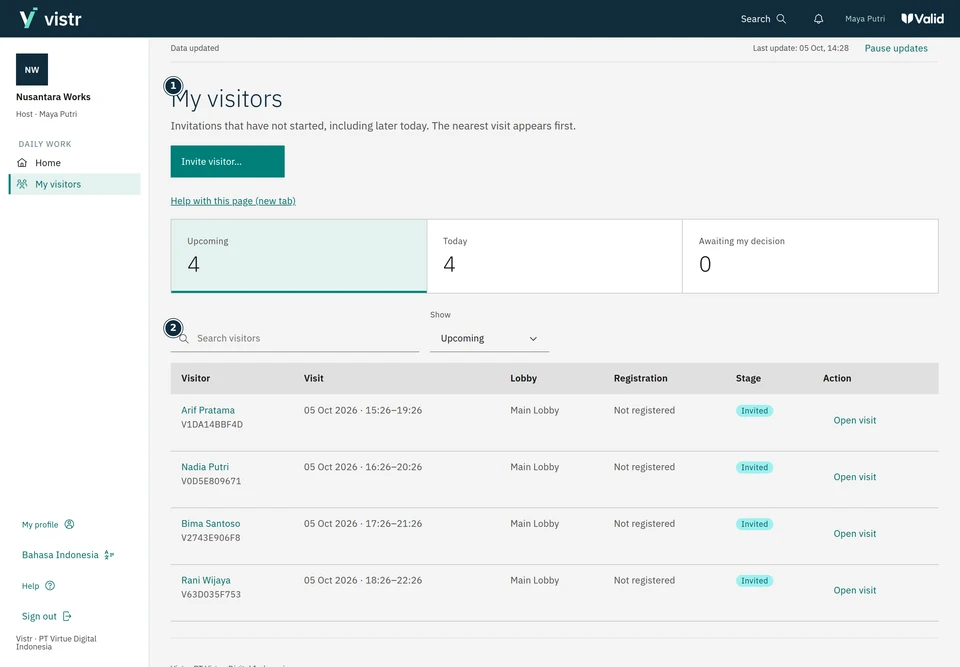
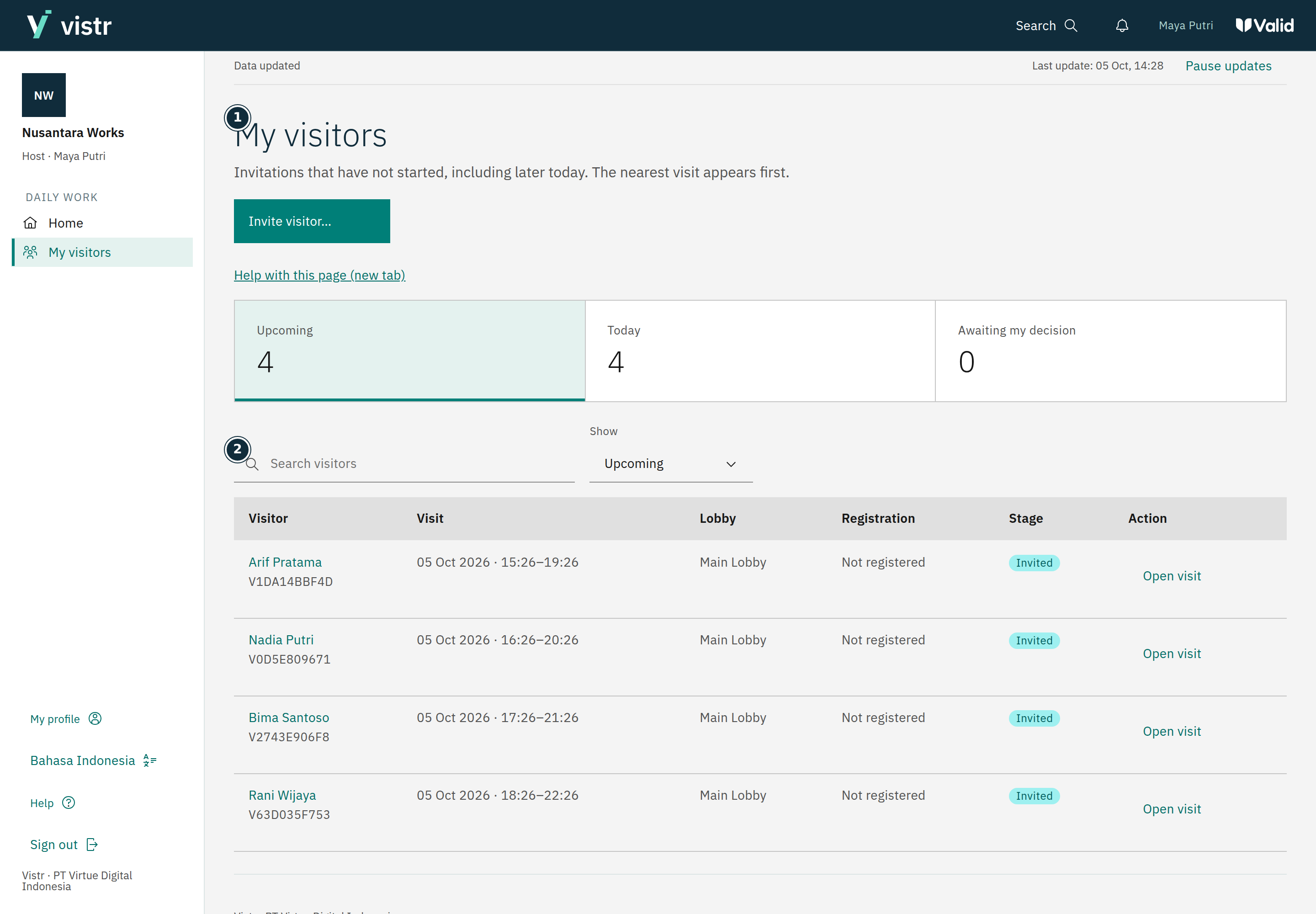
Open Invite visitor from Visitors or My visitors. Enter the guest name, place, purpose, and schedule.
 Enlarge image
Figure 1. Hosts start from My visitors. - My visitors
- Search visitors
Sample data · Host · 2026-10-05 · 2880 × 2000 px
Choose a host if the place requires one. A Host account creates invitations for itself.
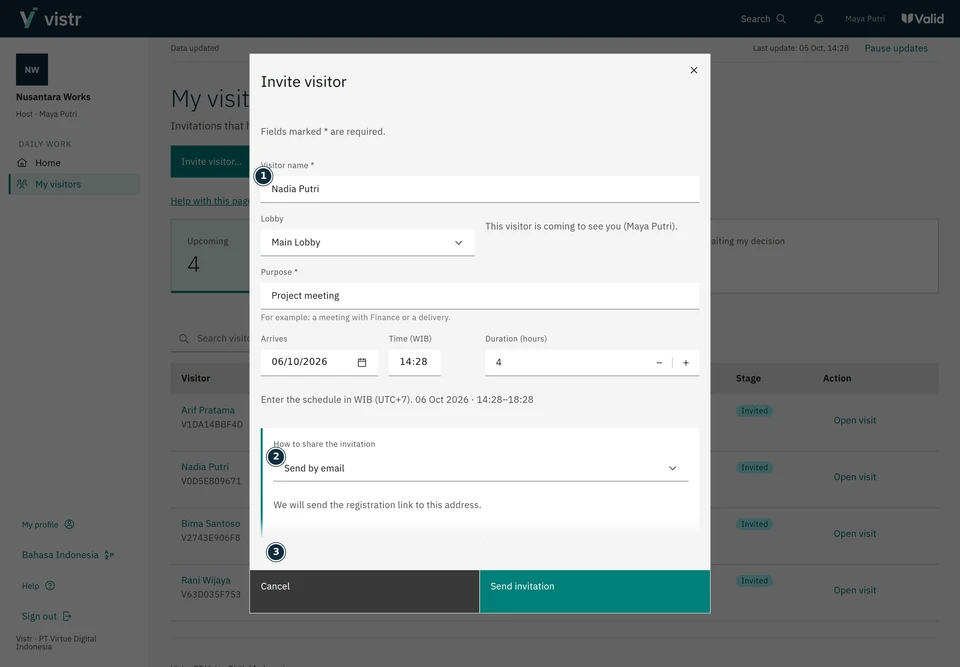
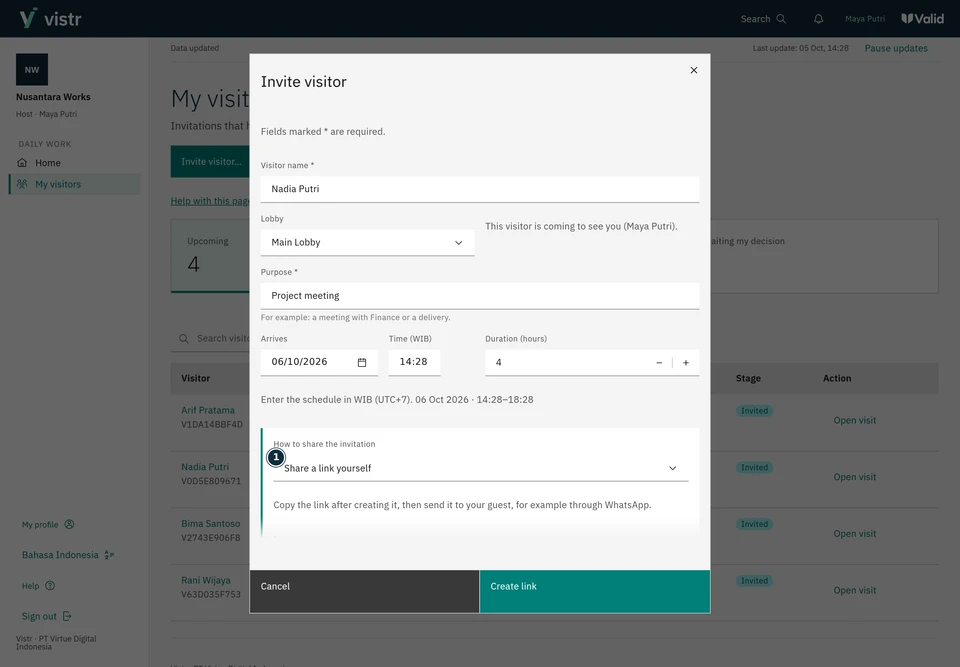
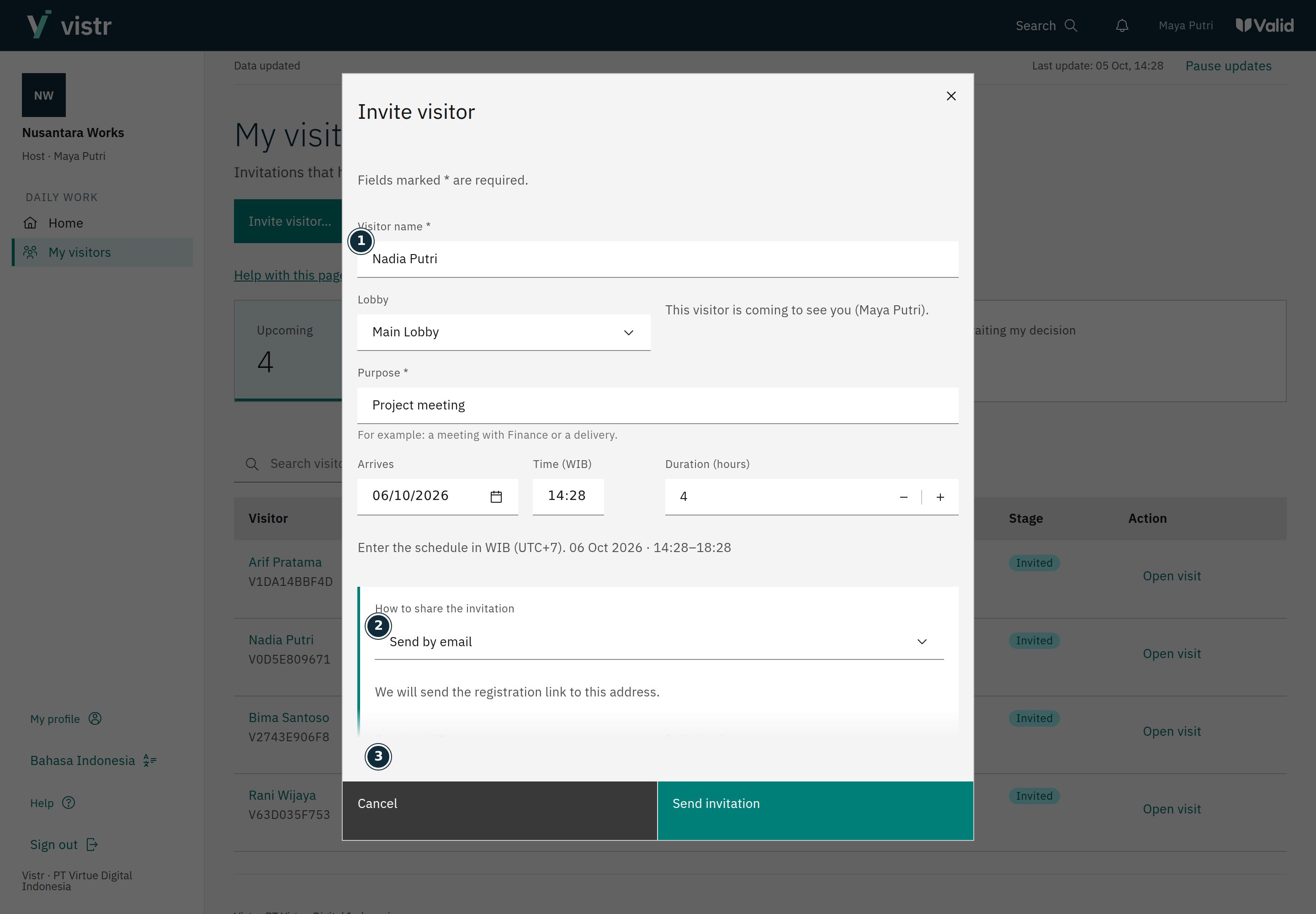
Select Send by email and enter the guest email, or select Share a link yourself to send it yourself. Choose the invitation language.
 Enlarge image
Figure 2. Email delivery requires a recipient address. - Visitor name *
- How to share the invitation
- Guest email *
Sample data · Host · 2026-10-05 · 2880 × 2000 px
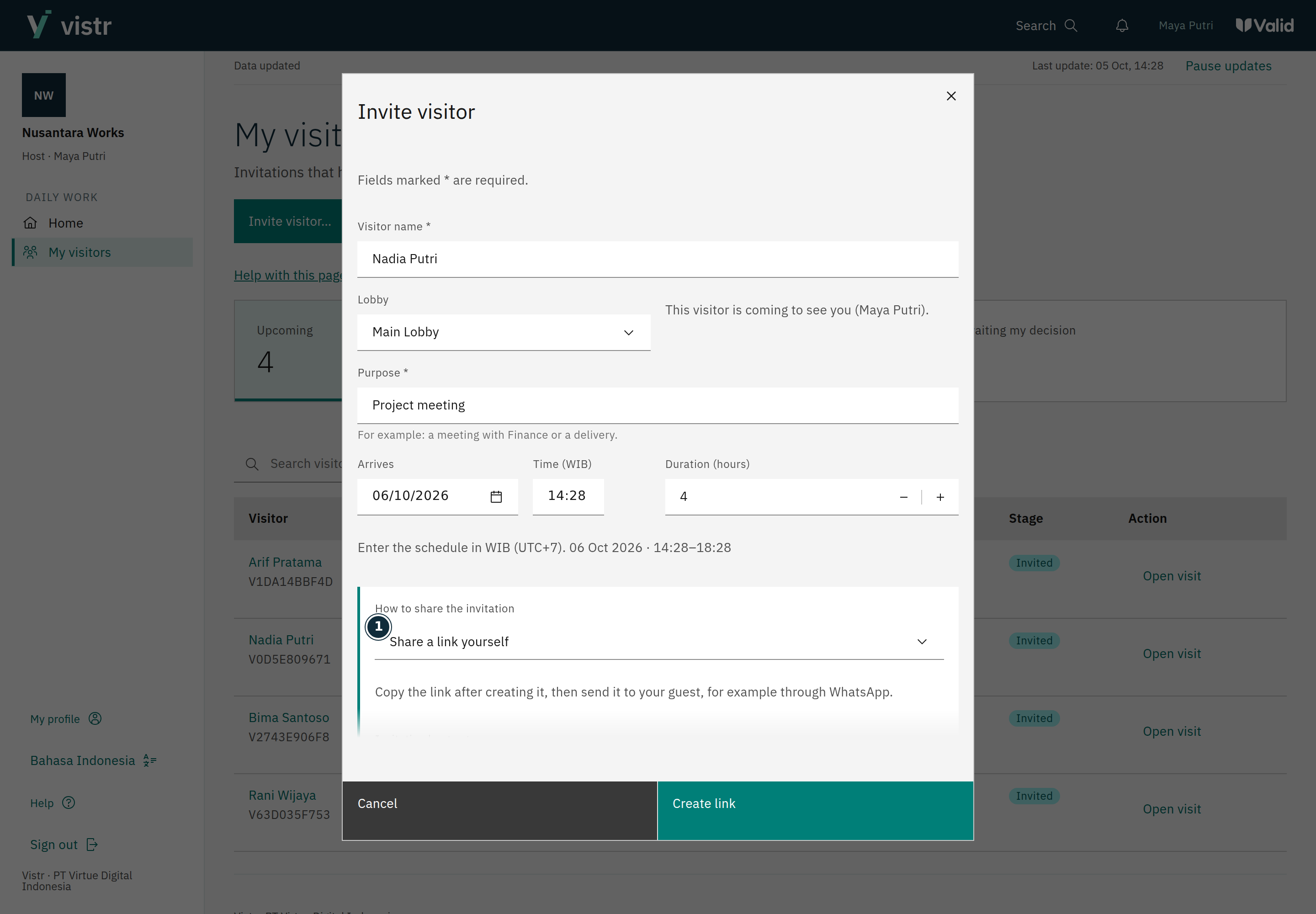
Create the invitation and check the result. For a link, copy it and send it through your chosen channel.
 Enlarge image
Figure 3. Share a link yourself requires the host or staff member to share it. - How to share the invitation
Sample data · Host · 2026-10-05 · 2880 × 2000 px
Reopen the details to check status, share the link, or resend email when the action is available.
What to enter and why
| Field | When needed | Purpose | Example |
|---|---|---|---|
| Guest email | Required for email delivery | The invitation recipient, not the host email. | nadia@example.test |
| Start and duration | Required | Defines the visit window. Saved-profile retention does not change it. | 10:00, 4 hours |
| Invitation language | Choose one | The email uses this language; the guest can change the page language. | Indonesia / English |
Expected result
A new invitation has one visit. Sharing or resending it does not create another visit.
If something goes wrong
Email has not arrived
Check the address and delivery status in the details. Queued or sent does not prove the message was read. Resend from the same visit when available.
An old link no longer works
Replacing the link disables the previous link. Share the latest link from the invitation details.
Created and sent are different
Creating an invitation does not prove the email reached the inbox. Check delivery status. Share link does not automatically send WhatsApp or SMS.
My visitors
Upcoming shows visits that have not started, including later today. Use Today, Awaiting my decision, or History for other tasks. Hosts manage visits within their own scope.
Share again or replace the link
Sharing again uses the same visit. Replacing the link is a separate action that invalidates the previous link. Read the confirmation before continuing.