
User guide
Field and option reference
Find what a field is for, when it is needed, and what it changes.
Your organization settings and account permissions determine which options are available.
All screens use fictional data. QR images and setup codes are examples and cannot be used to register.
Before you start
Use this table alongside the form you are completing. Required or optional fields can vary by destination and registration method.
Screen examples
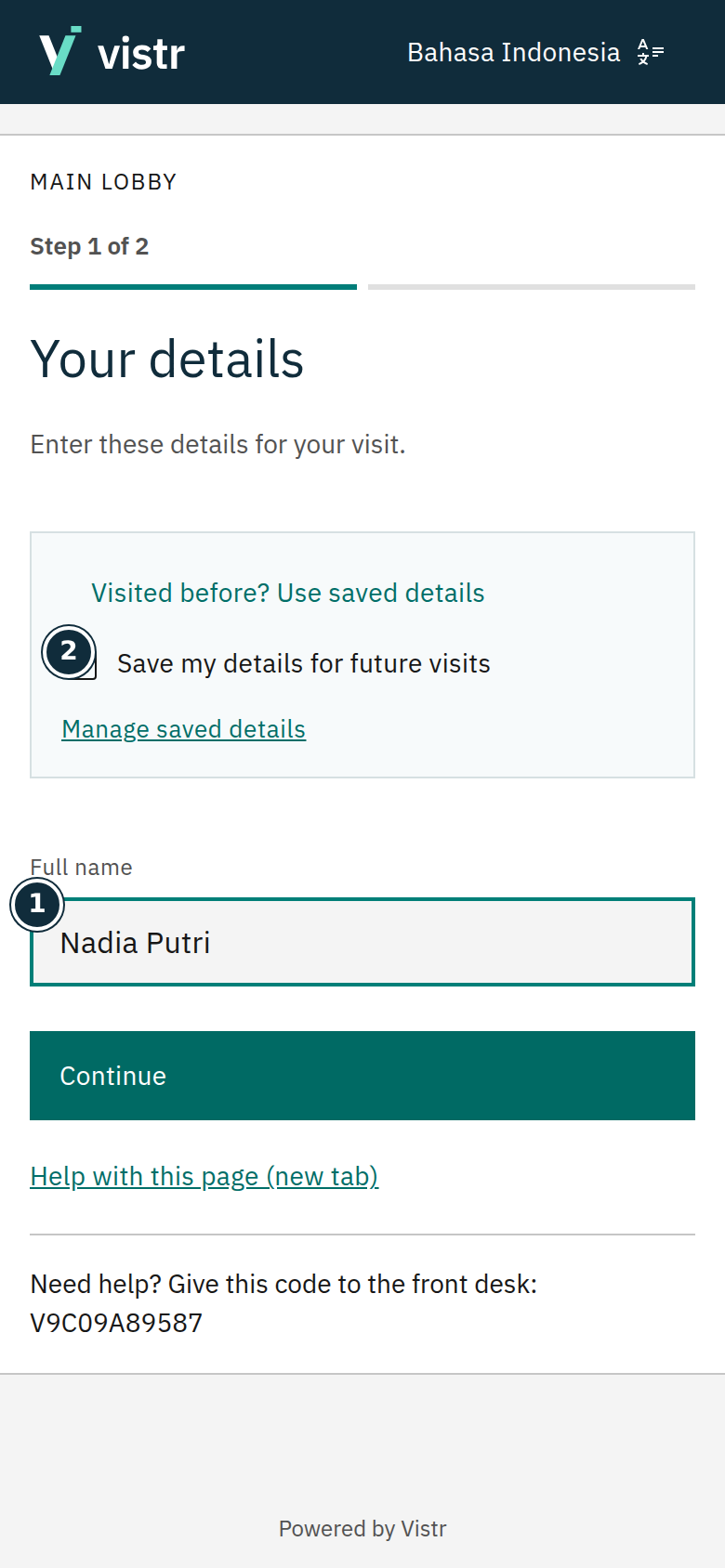 Enlarge image
- Full name
- Save my details for future visits
Sample data · Guest · 2026-10-05 · 780 × 1688 px
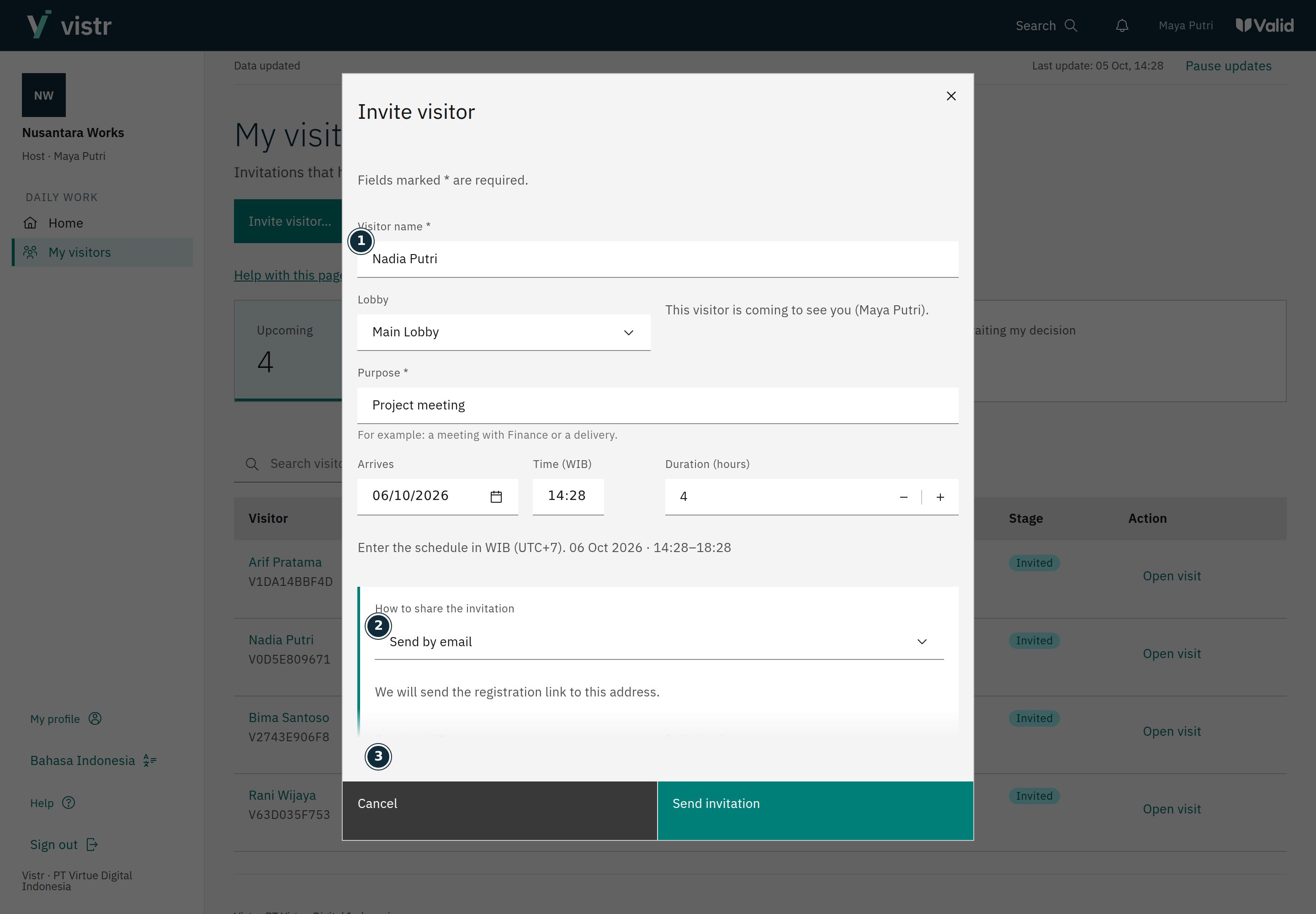 Enlarge image
- Visitor name *
- How to share the invitation
- Guest email *
Sample data · Host · 2026-10-05 · 2880 × 2000 px
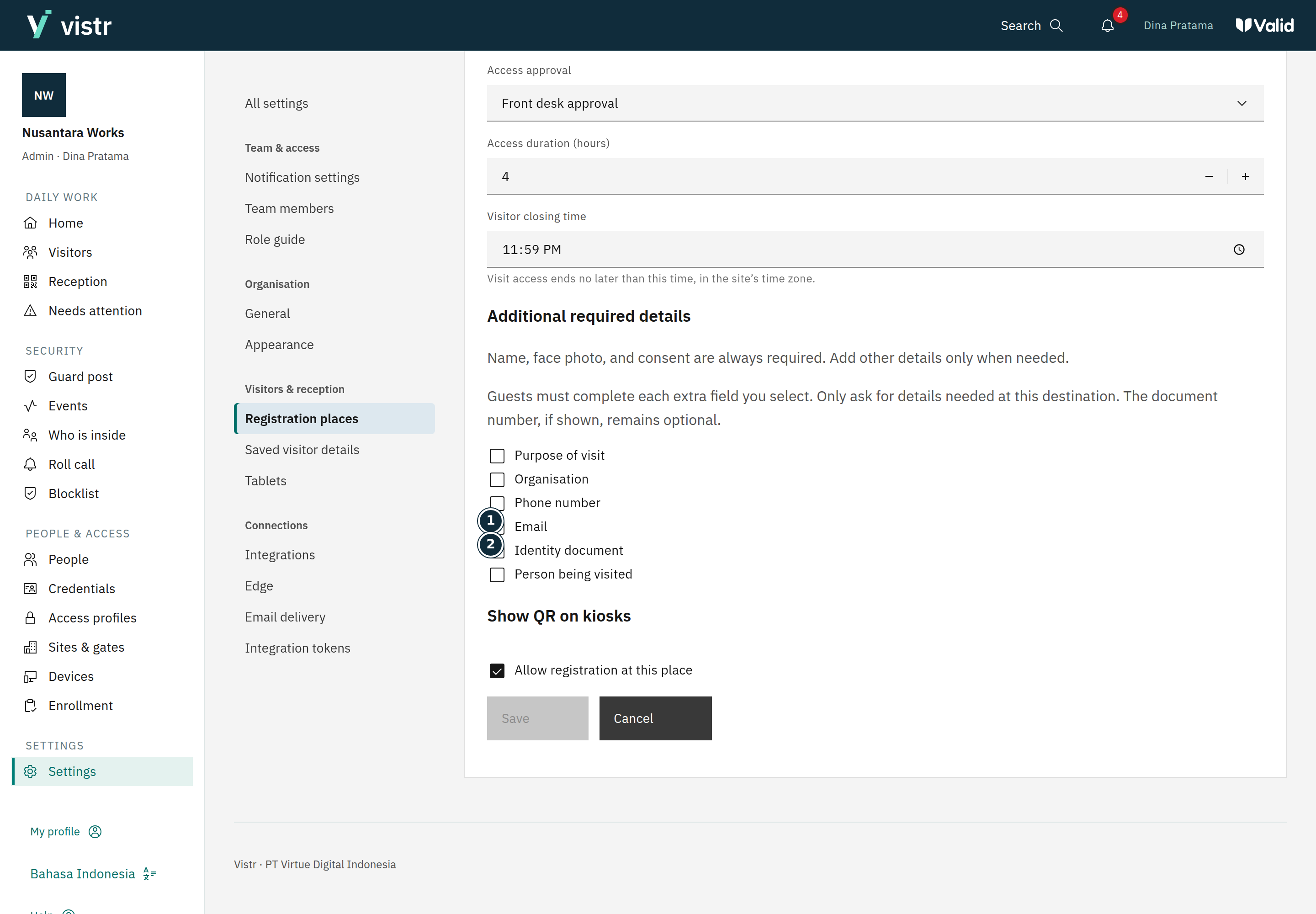 Enlarge image
- Identity document
Sample data · Admin · 2026-10-05 · 2880 × 2000 px
What to enter and why
| Field | When needed | Purpose | Example |
|---|---|---|---|
| Name | Required for guest registration | The visiting guest’s name; the name entered by staff when creating a QR can be optional. | Nadia Putri |
| Mobile | If required by the place | Guest contact; choose the correct country code and check the number. | +62 812… |
| Required for email delivery; otherwise flow-dependent | Invitation delivery or profile verification according to the field purpose. | nadia@example.test | |
| Document number | When shown/requested | Supports identification and authorized search. Uploading a document does not always require its number again. | DEMO-001 |
| Face photo | For the face-access flow | Photo for gate access; different from a document image. | Clear face |
| Destination | From QR or staff selection | Sets the location and visit rules. | Main lobby |
| Host | If required by the flow/place | The person being visited; not always required for walk-in guests. | Maya Putri |
| Access duration | When creating a visit | Visit permission period, separate from profile retention. | 4 hours |
| Retention | Admin setting | How long an optional profile can be reused. | 90 days |
| Account role | Team member setting | Application menu/action rights, not a gate profile. | Frontdesk |
Expected result
Complete fields according to their purpose and the on-screen format example. Do not enter passwords, tokens, or service secrets in visit notes.
If something goes wrong
Guide and screen differ
Follow the destination’s displayed labels and rules. Note the page name and contact an Admin if the difference is unclear.
Personal and contact details
The name is required when a guest registers, but can be blank when staff create a personal QR. Invitation names have a 60-character limit. Use a name staff can recognize.
Email is required for Send by email. In QR registration, email and mobile number depend on enabled place fields. Example email: guest@example.com. Mobile numbers can use a local prefix or country code as instructed. A regular contact field is not an OTP request or WhatsApp subscription.
Organization means the guest’s organization. Purpose explains the visit, such as Budget meeting. Host is the person receiving the guest. If a host is required but unknown, ask staff for help.
Face photo
The photo is used as a face-access credential. Capture one face in good light and check the preview. The camera may require browser permission. Uploads support JPG, PNG, or WebP up to 10,000,000 bytes. PDF and HEIC are not supported upload formats in this flow.
Identity document
Document type identifies what is provided. For Other, enter the document name and issuer. The document photo must be readable. In QR registration, the document number remains optional when shown. In direct staff registration, a required new document needs both its number and photo.
The number is the one printed on the document, not the holder’s name or phone number. Keep leading zeros. Different documents may contain letters or different lengths. A guest-provided number does not mean identity has been checked.
Place and time
The place determines the registration destination and applicable rules. A place QR already selects it. The invitation schedule sets the visit time; access duration sets permission length. Access can end earlier at the place closing time in the site time zone.
The initial personal QR lasts 10 minutes. A profile verification link lasts 15 minutes. Profile storage defaults to 90 days and can be changed by an admin. All three differ from gate permission.
Delivery and language
Send by email requires a destination email. Share link creates a link you send yourself. Invitation language determines the email language; guests can still change registration language. An additional message is a note for the guest, not an access rule.
Permissions and scope
Manual approval requires a decision from authorized staff. Automatic approval follows place rules. Account roles determine application actions; assigned places limit data scope. Access profiles determine a person’s gates and schedule.
A tablet name helps identify the device, such as Reception desk 1. The pairing code comes from the tablet browser. It differs from a registration QR and a visit code.