
User guide
Use the platform management panel
Review organizations, service work, and operational alert recipients.
Your organization settings and account permissions determine which options are available.
All screens use fictional data. QR images and setup codes are examples and cannot be used to register.
Before you start
This guide is for Providers. Organization Admins manage their own organization settings, not the platform panel.
How the task works
Follow the main steps in order. Where a choice is shown, follow the branch that matches your situation.
- ProviderChoose organization
- ProviderReview service status
- ProviderReview relevant platform settings
- ProviderCoordinate follow-up
Steps
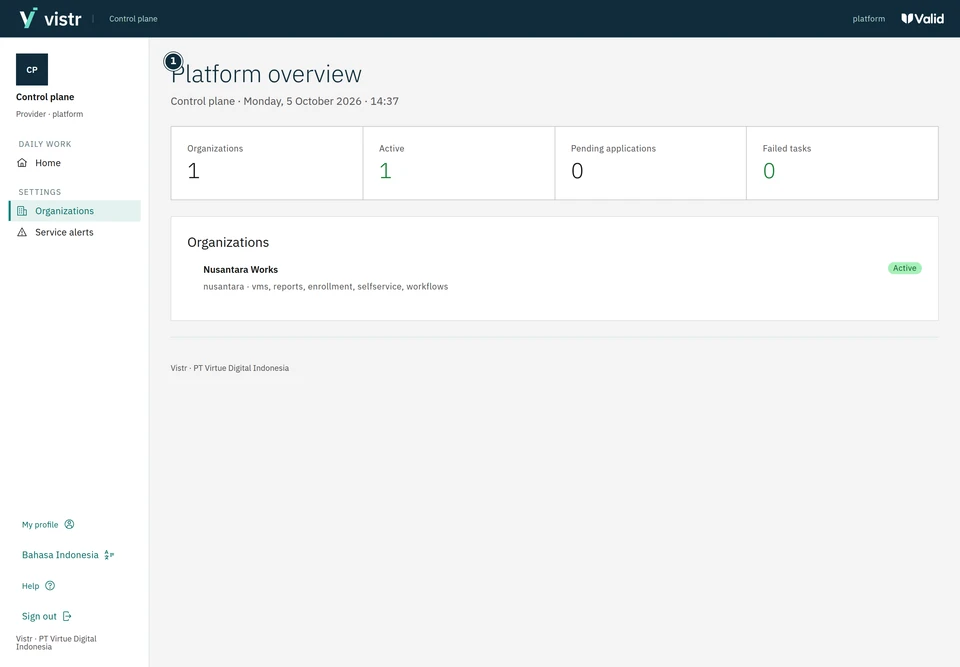
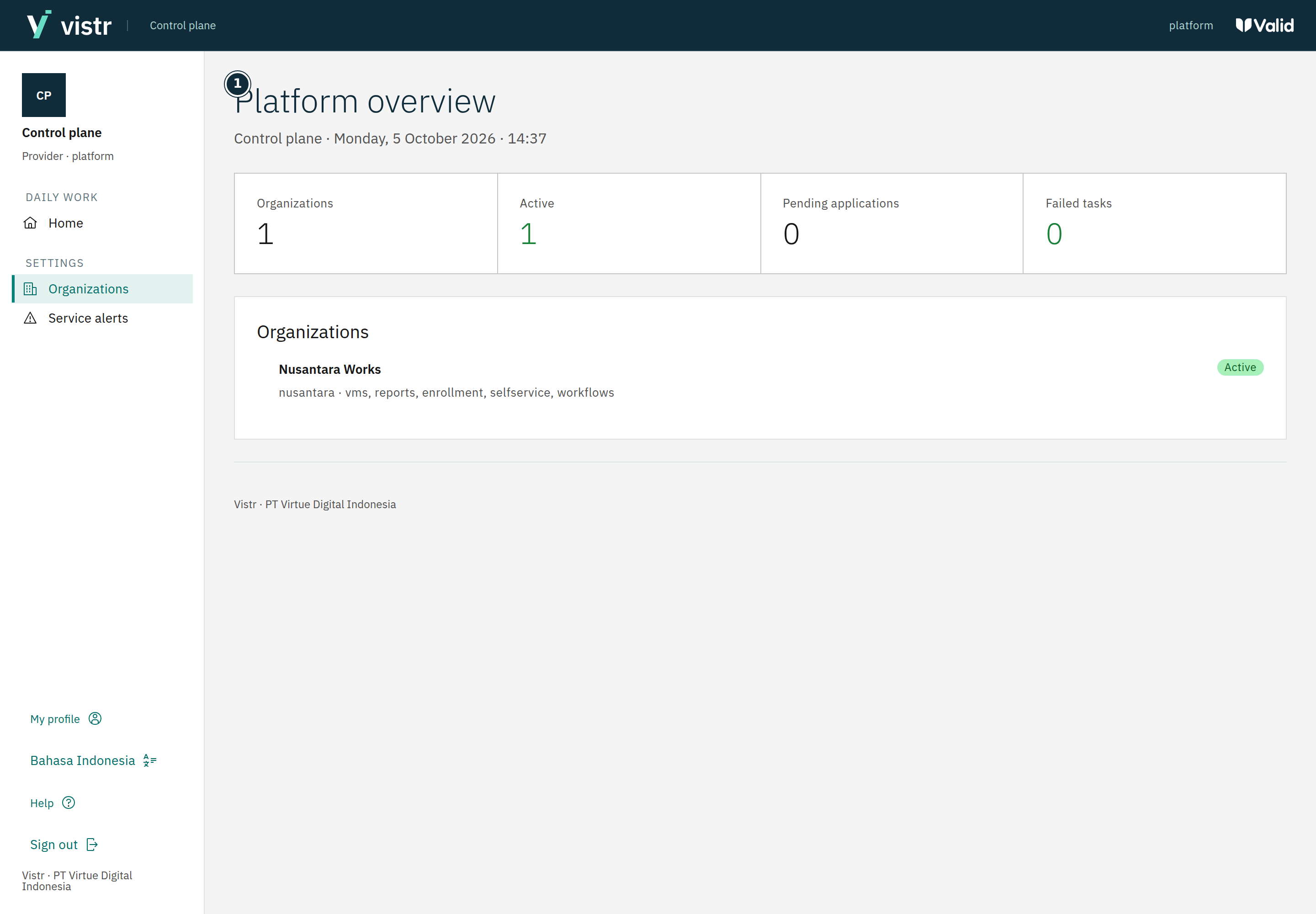
Sign in to the platform panel with a Provider account. Use Home to see organization, request, and failed-task summaries.
 Enlarge image
Figure 1. The Provider panel shows sample organization data and is separate from organization administration. - Platform overview
Sample data · Provider · 2026-10-05 · 2880 × 2000 px
Review the organization list to understand the scope of an issue. The platform panel differs from an organization’s operational application.
Open Service alerts to check recipients. Enter authorized email addresses separated by new lines, commas, or semicolons, then save.
What to enter and why
| Field | When needed | Purpose | Example |
|---|---|---|---|
| Organization | Choose the correct target | Distinguishes customer workspaces. | Nusantara Works (sample) |
| Service-alert recipients | For sending service alerts | Different from visit-notification recipients. | An approved operations address |
Expected result
Platform actions apply to the correct organization. Server procedures, secrets, and operational recovery remain in internal runbooks.
If something goes wrong
Service alerts are not received
Check that recipients are configured and delivery is available. No email does not by itself mean the system is healthy.
Alert recipients
An empty list shows a warning. Example format: operations@example.com; backup@example.com. These are fictional examples, not service recipients.
Platform panel boundary
Do not equate Provider with organization Admin. Team membership, guest registration, and branding belong to organization scope. Server work, data recovery, and service secrets follow the technical team’s internal runbook.